Partial Fraction
Partial FractionExpected Educational ResultsBloom’s TaxonomyPartial FractionsMethod of Partial FractionsDefinition: Irreducible QuadraticsActivity 05Use Technology to Factor ExpressionsCC BY-NC-SA 4.0
Author: John J Weber III, PhD Corresponding Textbook Sections:
Section 7.4 – Integration of Rational Functions by Partial Fractions
Expected Educational Results
Objective 06–01: I can use partial fractions to evaluate an indefinite integral.
Objective 06–02: I can use partial fractions to evaluate a definite integral using FTC-II.
Bloom’s Taxonomy
A modern version of Bloom’s Taxonomy is included here to recognize various different levels of understanding and to encourage you to work towards higher-order understanding (those at the top of the pyramid). All Objectives, Investigations, Activities, etc. are color-coded with the level of understanding.

Partial Fractions
Method of Partial Fractions
Definition: Irreducible Quadratics
Irreducible quadratic expressions cannot be factored using real numbers,
Activity 05
Show the following expressions are irreducible quadratic expressions, i.e., not factorable over the Reals:
Use Technology to Factor Expressions
NOTE: On Assessments, you may use of technology to factor expressions without showing any work.
Mathematica
1(* Factor x^2+4 *)2Factor[x^2+4]Warnings:
Be very careful with the syntax. Syntax is the set of rules on how to write computer code. Every software program has its own unique syntax. Some basic Mathematica syntax is located at: https://www.jjw3.com/Common_Mathematica_Code.html.
Factor[ ] has one arguments:
The expression to be factored.
For help on using the Factor[ ] function:
In Mathematica, execute the code:
Click on
Click on local
Read how to use the Factor[ ] function – you will be able to copy-paste code.
Remember, correct Mathematica code will be all black except for variables.
To execute code (including comment codes), press and hold the SHIFT key and press the ENTER key.
Python
Be very careful with the syntax. Syntax is the set of rules on how to write computer code. Every software program has its own unique syntax.
Python requires
Python requires
Remember to use parens
You can use pprint(factor(8x*3-1)) for pretty print.
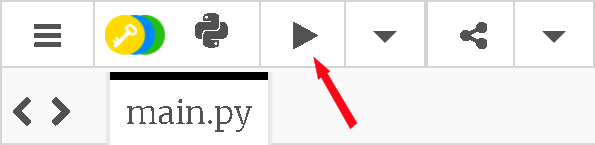
To execute code, press the “View the result” button:
CC BY-NC-SA 4.0
This work is licensed under a Creative Commons Attribution-NonCommercial-ShareAlike 4.0 International License [http://creativecommons.org/licenses/by-nc-sa/4.0/].
Created: Wednesday, 08 September 2021 - 06:31 (EDT)