Fundamental Theorem of Calculus (FTC)
Fundamental Theorem of Calculus (FTC)Expected Educational ResultsBloom’s TaxonomyAntiderivativeDefinition: AntiderivativeFinding AntiderivativesActivity 01Activity 01, continuedInvestigation 02Use Technology to Verify AntiderivativesCC BY-NC-SA 4.0
Author: John J Weber III, PhD Corresponding Textbook Sections:
Section 4.9 – Antiderivatives
Section 5.3 – The Fundamental Theorem of Calculus
Section 5.4 – Indefinite Integrals and the Net Change Theorem
Expected Educational Results
Objective 01–01: I can state the Fundamental Theorem of Calculus.
Objective 01–02: I can explain the meaning of the Fundamental Theorem of Calculus – Part I.
Objective 01–03: I can explain the meaning of the Fundamental Theorem of Calculus – Part II.
Objective 01–04: I can determine the properties of an area function using FTC-I and Calculus I.
Objective 01–05: I can evaluate indefinite integrals using the Fundamental Theorem of Calculus – Part I.
Objective 01–06: I can evaluate definite integrals using the Fundamental Theorem of Calculus – Part II.
Objective 01–07: I can use the Net Change Theorem to identify the meaning of
Objective 01–08: Given velocity of an object in motion along a line, I can find the object’s displacement and the total distance traveled.
Objective 01–09: Given acceleration of an object in motion along a line, I can find the object’s velocity, displacement, and the total distance traveled.
Bloom’s Taxonomy
A modern version of Bloom’s Taxonomy is included here to recognize various different levels of understanding and to encourage you to work towards higher-order understanding (those at the top of the pyramid). All Objectives, Investigations, Activities, etc. are color-coded with the level of understanding.

Antiderivative
Definition: Antiderivative
Recall from Calculus I,
An Antiderivative of
Finding Antiderivatives
First, we will need to use our knowledge of derivatives:
Example 01:
Find the antiderivative of
Solution:
We need to find
From Calculus I, we know:
Thus, the antiderivative of
Activity 01
NOTE: Python is used here to quickly find a pattern.
Activity: Change the value of
Warnings:
Be very careful with the syntax. Syntax is the set of rules on how to write computer code. Every software program has its own unique syntax. Some basic Python syntax is located at: https://www.jjw3.com/Common_Python_Code.html.
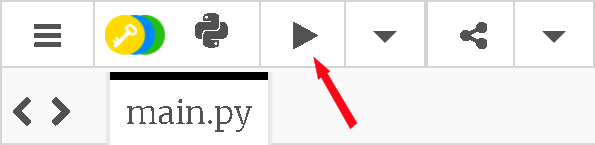
To execute code, press the “View the result” button:
Activity 01, continued
What do you notice about the derivative,
Investigation 02
Use your knowledge of derivatives (See PRE_01iii_FTC_Calc_Rules.html) and to find the following antiderivatives:
What is the antiderivative of
What is the antiderivative of
What is the antiderivative of
What is the antiderivative of
What is the antiderivative of
What is the antiderivative of
Use Technology to Verify Antiderivatives
There are four (4) methods to check your work when finding antiderivatives.
Recall, Example 01: find the antiderivative of
Method 01: To check the antiderivative in Example 01,
Since
Method 02: Use Mathematica
NOTE: Mathematica is used here to verify antiderivatives. You must show that you understand the Calculus I concept of the antiderivative.
x1(* Example 01 *)2(* Find antiderivative of sec(x)tan(x) *)3
4Integrate[Sec[x]Tan[x], x]Warnings:
Be very careful with the syntax. Syntax is the set of rules on how to write computer code. Every software program has its own unique syntax. Some basic Mathematica syntax is located at: https://www.jjw3.com/Common_Mathematica_Code.html.
The Mathematica syntax for
Integrate[ ] has at least two arguments:
The integrand function;
The independent variable.
For help on using the Integrate[ ] function:
In Mathematica, execute the code:
Click on
Click on local
Read how to use the Integrate[ ] function – you will be able to copy-paste code.
Remember to use parens
Remember, correct Mathematica code will be all black except for variables.
To execute code (including comment codes), press and hold the SHIFT key and press the ENTER key.
Mathematica does not show
Mathematica may return a result in a different, but equivalent, form than your answer. In these cases, use another method to check your work.
Method 03: Use Python
NOTE: Python is used here to verify antiderivatives. You must show that you understand the Calculus I concept of the antiderivative.
Warnings:
Be very careful with the syntax. Syntax is the set of rules on how to write computer code. Every software program has its own unique syntax. Some basic Python syntax is located at: https://www.jjw3.com/Common_Python_Code.html.
The Python syntax for
Python requires
Remember to use parens
Python does not show
Python may return a result in a different, but equivalent, form than your answer. In these cases, use another to check your work.
To execute code, press the “View the result” button:
Method 04: Graph in DESMOS
Warnings:
In Box 1, type the integrand function,
In Box 2, type in the antiderivative,
use function notation;
use an uppercase
include
click on the color circle in Box 3 to hide the graph of
In Box 4, type
Compare the graphs of
CC BY-NC-SA 4.0
This work is licensed under a Creative Commons Attribution-NonCommercial-ShareAlike 4.0 International License [http://creativecommons.org/licenses/by-nc-sa/4.0/].
Created: Tuesday, 25 August 2020 03:24 EDT Last Modified: Saturday, 28 May 2022 - 16:32 (EDT)